
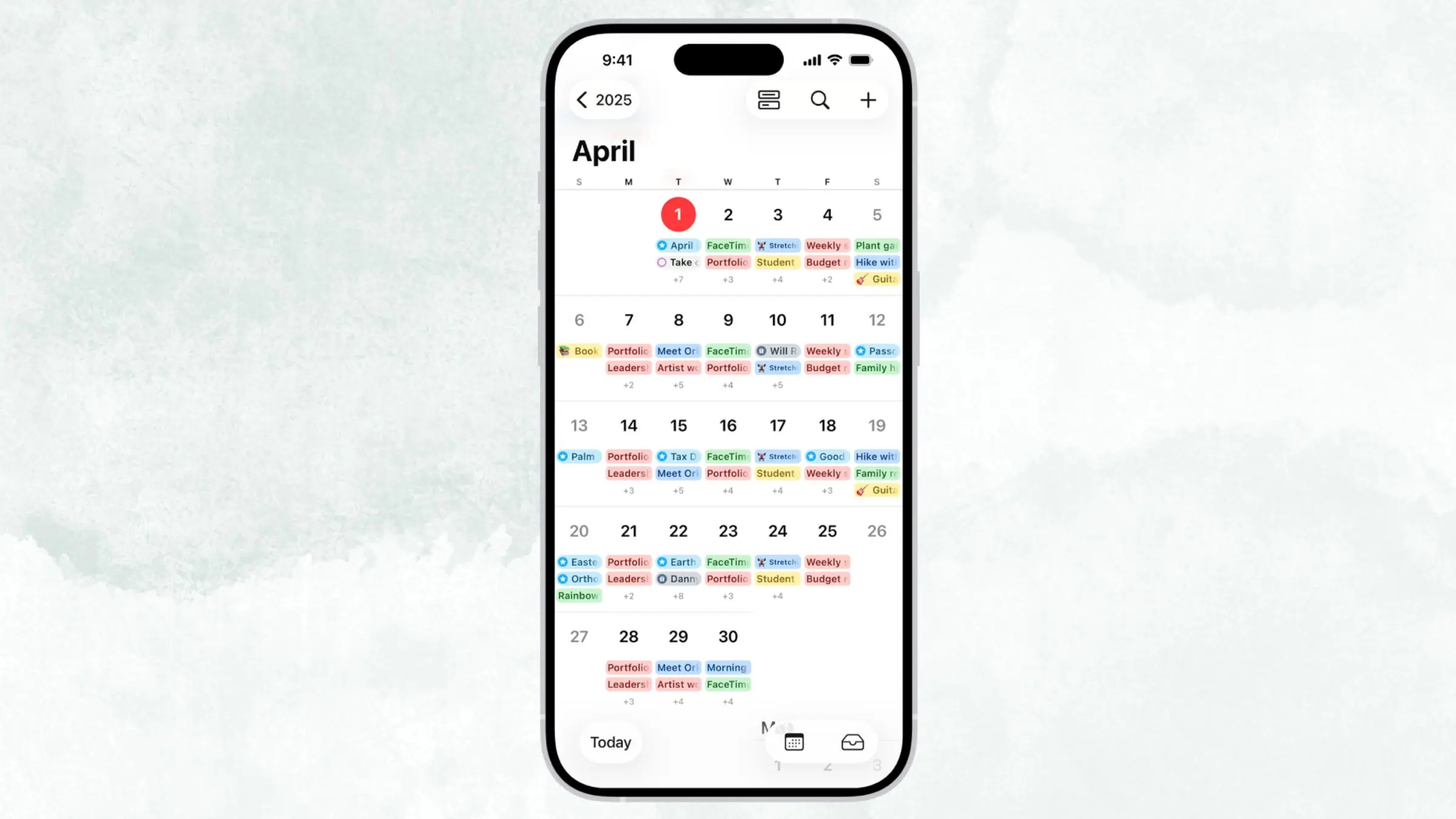
Apple's Calendar App Finally Gets Natural-Language Support in iOS 27
For years, iPhone users have wished that scheduling an event on Apple Calendar felt as easy as sending a text message. With the release of iOS 27, that wish has finally come true. Apple is rolling out meaningful natural-language event creation directly inside the Calendar app, allowing users to simply type what they want to do — in plain, conversational English — and letting the iPhone intelligently parse and schedule it without any extra tapping, date-picking, or form-filling. It's one of the most practical quality-of-life upgrades to come to the native Calendar app in a very long time, and it could change the way millions of iPhone users manage their daily schedules.
What Is Natural-Language Event Creation?
Natural-language processing, when applied to calendar apps, means that you can describe an event the way you'd say it out loud to a friend and have the software automatically understand the date, time, location, and other relevant details. Instead of tapping through a series of menus to set a meeting for next Thursday at 2 p.m., you simply type something like "Team meeting next Thursday at 2pm" and the app does the heavy lifting for you.
This kind of functionality has existed in third-party apps like Fantastical for years, and it's been a key reason why many productivity-focused users have been reluctant to switch back to Apple's native Calendar. iOS 27 changes that calculus dramatically by bringing this intelligence directly into the first-party app, with no additional download or subscription required.
How It Works in iOS 27
In iOS 27, Apple has integrated natural-language understanding into the Calendar app's event creation flow. When you begin adding a new event, you can type a plain-language description of the appointment and the system will automatically recognize key data points embedded in your sentence — things like day of the week, specific times, recurring intervals, and even locations or contacts if they're mentioned.
The experience is designed to be frictionless. Rather than filling out separate fields for title, date, start time, end time, and location in sequence, users can capture all of that information in a single, natural sentence and let Apple's on-device intelligence fill in the structured fields automatically. You can review and adjust any details before saving, but in many everyday cases, the AI will get it right the first time.
This feature works entirely within the native Calendar app, meaning it benefits from deep system integration. It can intelligently reference your contacts, existing calendar entries, and even location data to make smarter suggestions — all while respecting Apple's well-established privacy-first approach to on-device processing.
Why This Update Matters for iPhone Users
The practical impact of this update should not be underestimated. Calendar apps are one of the most frequently used productivity tools on any smartphone, and the friction involved in adding events has long been a hidden time tax on users' days. Studies on digital productivity consistently find that switching between mental modes — from free-form thinking to structured data entry — costs cognitive energy and time. Natural-language input reduces that context switch dramatically.
For professionals managing busy schedules, parents coordinating family logistics, or students tracking deadlines and study sessions, the ability to capture events in the same language you think in is a genuine improvement to daily life. And because this feature lives in Apple's native Calendar app, it's available to every iPhone user running iOS 27, not just those who've invested in third-party productivity tools.
Apple Calendar vs. Third-Party Apps: Does the Gap Finally Close?
Apps like Fantastical and Structured have long distinguished themselves by offering natural-language input, beautiful design, and power-user scheduling features that Apple's stock Calendar app simply couldn't match. For a significant portion of the iPhone user base — particularly those in business and creative fields — these apps justified their subscription costs precisely because of features like this.
With iOS 27, Apple is sending a clear signal that it intends to reclaim productivity ground from the third-party ecosystem. While niche apps will likely retain their loyal audiences through additional features like task management integration, time-blocking, and calendar sets, the average iPhone user now has considerably less reason to look beyond what comes pre-installed on their device. The natural-language update is exactly the kind of foundational improvement that makes the native app usable for a much wider audience.
What Else Is New in iOS 27?
The Calendar upgrade is part of a broader push in iOS 27 to make Apple's native apps smarter and more contextually aware. Across the operating system, Apple has been deepening its investment in on-device machine learning and natural-language understanding, building on the foundation laid by earlier Apple Intelligence features. The Calendar improvement is just one visible manifestation of a wider architectural shift in how iOS apps understand and respond to user input.
- Natural-language event creation allows you to type events in plain English and have them automatically structured by the app.
- The feature is built into the native Calendar app and requires no additional apps or subscriptions.
- It works with on-device intelligence, keeping your scheduling data private.
- The update narrows the gap between Apple Calendar and popular third-party productivity apps.
- iOS 27 continues Apple's broader push toward smarter, more intuitive native app experiences.
How to Get the Most Out of Apple Calendar in iOS 27
To take full advantage of the new natural-language features, make sure your iPhone is updated to iOS 27. Once updated, open the Calendar app and begin creating a new event. Instead of tapping through individual fields, try typing a descriptive sentence like "Dentist appointment Friday at 10am" or "Lunch with Sarah at noon next Wednesday near downtown." The app will parse your input and automatically populate the relevant fields. Review the results, make any quick adjustments if needed, and save — the whole process takes only seconds.
For recurring events, the system is also designed to recognize phrases like "every Monday" or "bi-weekly on Tuesdays," which means setting up repeating appointments is now nearly as simple as saying them out loud.
The Bottom Line
iOS 27's natural-language support for Apple Calendar is a long-overdue but very welcome upgrade. By letting users describe events the way they naturally think about them, Apple has removed one of the most persistent friction points in everyday iPhone use. Whether you're a power user who has relied on third-party calendar apps for years or a casual user who has struggled with the standard event creation flow, this update is worth paying attention to. It's a smart, practical improvement — and one that makes the iPhone's built-in Calendar app genuinely compelling for the first time in years.