
iOS 27 Is Quietly Transforming Your iPhone Lock Screen
When Apple took the stage at WWDC this week to unveil iOS 27, most of the buzz centered on the sweeping Siri overhaul that promises to make Apple's virtual assistant smarter and more capable than ever. And while that headline feature absolutely deserves its attention, there's a quieter story unfolding one layer beneath — on your iPhone's Lock Screen.
Apple has packed five meaningful refinements into iOS 27's Lock Screen experience. Some are entirely new additions, while others are thoughtful improvements to features that debuted in iOS 26. Together, they give iPhone users a greater degree of control over how their Lock Screen looks, feels, and behaves on a day-to-day basis. Whether you're planning to jump on the public beta next month or waiting for the general release this fall, here's a detailed look at the five Lock Screen changes you won't want to miss.
1. Extend Your Wallpaper with Apple Intelligence
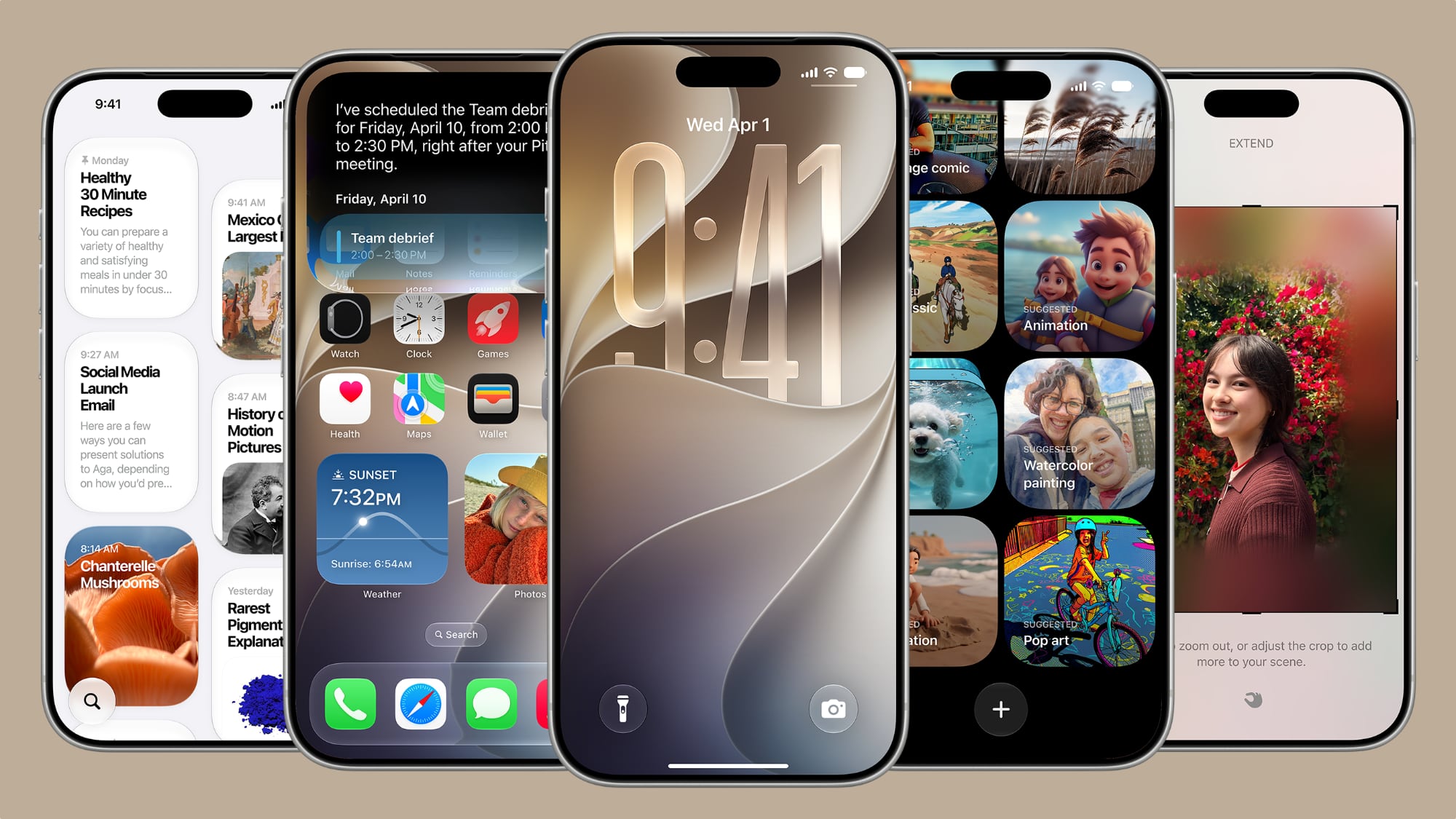
One of the most visually impressive additions in iOS 27 is the new wallpaper extension feature, powered by Apple Intelligence. Anyone who has ever tried to set a favorite photo as their Lock Screen wallpaper knows the frustration: the image is cropped too tightly, the aspect ratio doesn't quite match the iPhone's display, or awkward empty space appears around the edges of the photo. Previously, your options were limited to cropping the image more aggressively or simply choosing a different photo altogether.
iOS 27 eliminates that problem with a new "Extend" option. When enabled, Apple Intelligence analyzes your chosen photo and automatically generates additional image content around its edges, seamlessly expanding the picture to fill the entire Lock Screen in a natural and visually coherent way. The generated pixels are designed to blend with the original image — matching colors, textures, lighting, and background details — so the result looks organic rather than obviously artificial.
This feature isn't limited to the Lock Screen, either. Apple has also made the Extend option available directly within the Photos app, meaning you can apply it to images you want to save or share, not just ones you're setting as wallpaper. For anyone who loves a particular photo but has always found it slightly awkward to use as a background, this is a genuinely useful addition to iOS 27's toolkit.
2. Make the Clock Tiny with Compact Mode
The large, centered clock has been a defining element of the iPhone Lock Screen for years. It's functional and easy to read at a glance, but it also dominates a significant portion of the screen real estate, especially if you're using a wallpaper you'd rather show off more fully. iOS 27 addresses this with a new compact clock mode.
Found in the top-right corner of the Font & Color panel, this new layout option moves the time away from its traditional large, centered position and tucks it into a smaller, more discreet location on the screen. The result is a Lock Screen that feels cleaner and less cluttered, with far more visual room given over to your wallpaper and widgets. It's a small change in concept but a significant one in practice, especially for users who have always felt the default clock size was simply too dominant.
This kind of granular customization is exactly what power users have been asking for, and it signals that Apple is continuing to embrace the Lock Screen personalization philosophy it introduced with iOS 16.
3. More Control Over Your Lock Screen Layout
Beyond the compact clock, iOS 27 introduces additional layout refinements that give users more flexibility in arranging Lock Screen elements. Apple has expanded the customization options within the Lock Screen editor, making it easier to position widgets, adjust spacing, and create a setup that genuinely feels personal rather than templated.
These tweaks build on the foundation Apple established in iOS 26 and represent a continuation of the company's ongoing effort to make the iPhone home and lock experience more expressive. The improvements are subtle but meaningful, particularly for users who spend time fine-tuning their setups.
4. Refined Widget Interactions
iOS 27 also brings refinements to how Lock Screen widgets behave and interact with the rest of the interface. Widgets feel more responsive, and Apple has made adjustments to how they display information at a glance, ensuring that the data you care about most is always clearly visible without overwhelming the overall aesthetic of your Lock Screen design.
For users who rely on weather, fitness, calendar, or other glanceable widgets, these refinements will make the Lock Screen feel more polished and purposeful as a daily information hub.
5. Improved Font and Color Customization
Finally, iOS 27 expands the font and color options available when customizing your Lock Screen. Apple has added new font choices and color tinting controls that make it easier to create a cohesive visual look between your clock, date, and widget text. The updated Font & Color panel is more intuitive to navigate, and the expanded palette gives users finer control over the exact appearance of text elements on screen.
Combined with the compact clock mode and wallpaper extension feature accessible from the same panel, the updated customization tools make the iOS 27 Lock Screen editor one of the most capable Apple has ever shipped.
When Can You Try These Features?
Apple is expected to release a public beta of iOS 27 next month, giving eager users an early opportunity to explore all five of these Lock Screen upgrades before the software reaches general availability this fall. As always, it's worth waiting for the stable release if you rely on your iPhone for work or critical tasks, but for those comfortable with beta software, next month's preview will be an exciting chance to see these features in action firsthand.
iOS 27 is shaping up to be one of Apple's most feature-rich updates in recent memory, and the Lock Screen improvements are a perfect example of how the company is continuing to sweat the small details alongside the big, headline-grabbing changes.